Quick Links
Rename your Workspace
Your Workspace will be given a default name. You can change the name of your Workspace or leave it as the default.

- Select a Workspace by clicking a Workspace in your sidebar.
- Click
Workspace settings. - Click the pencil icon next to your Workspace’s name.
- Change the name and save it.
Select your Workspace profile picture
Your Workspace will be given a default profile picture. You can change the profile picture of your Workspace or leave it as the default.
- Select a Workspace by clicking a Workspace in your sidebar.
- Click
Workspace settings. - Click
Profile. - You can either
- Upload a picture.
- Replace a picture.
- Delete a picture.
- Keep the default picture.
⚠️ Can't upload your profile picture? The maximum file size is 2 MB. Supported file types are .jpg, .jpeg, .png, .svg, .gif, .webp.Edit your Workspace
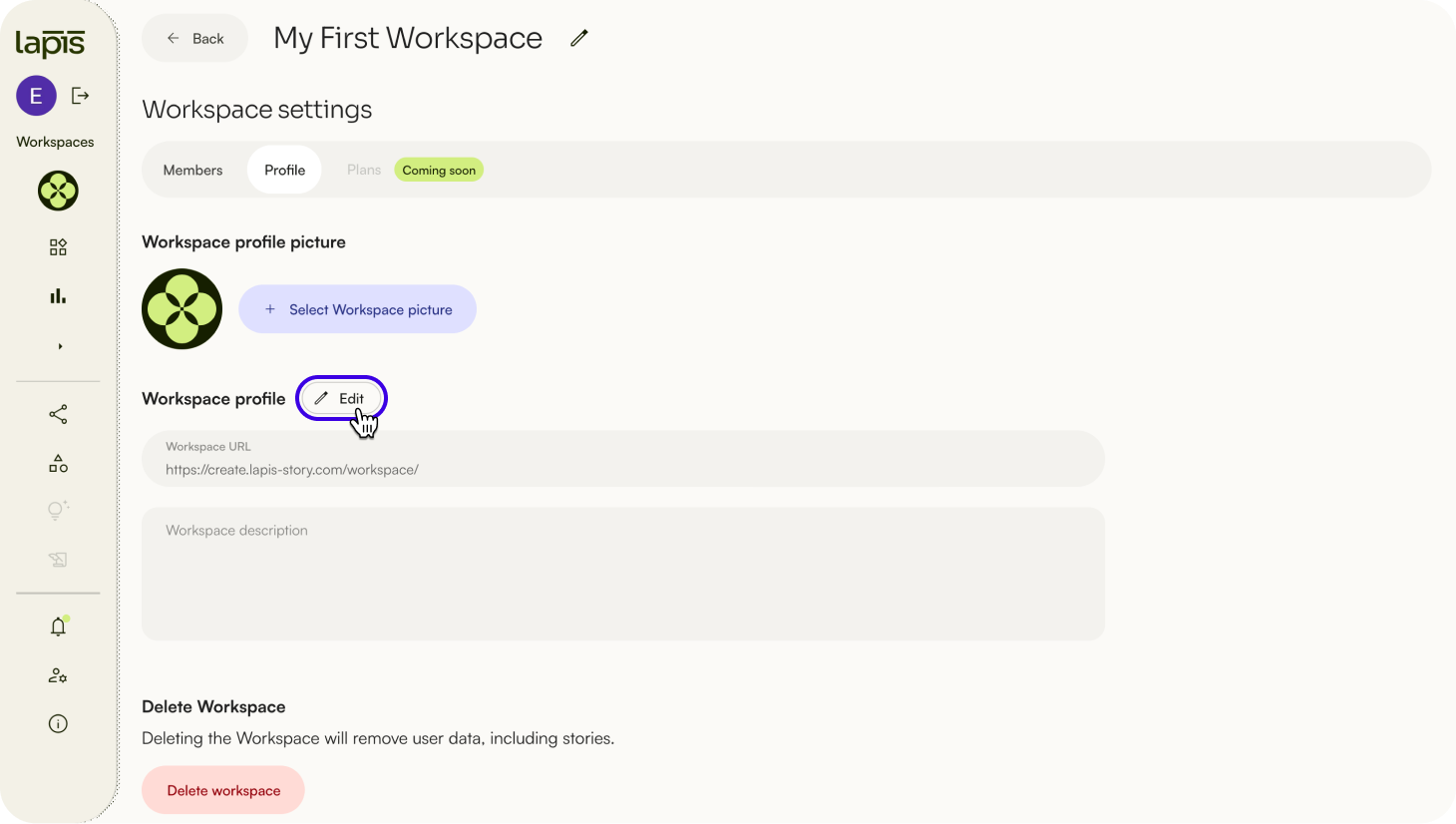
- Select a Workspace by clicking a Workspace in your sidebar.
- Click
Workspace settings. - Click
Profile. - Click
Editnext to Workspace Profile. - You can customise your URL and your Workspace description.
- Click
Save changes.
Delete your Workspace
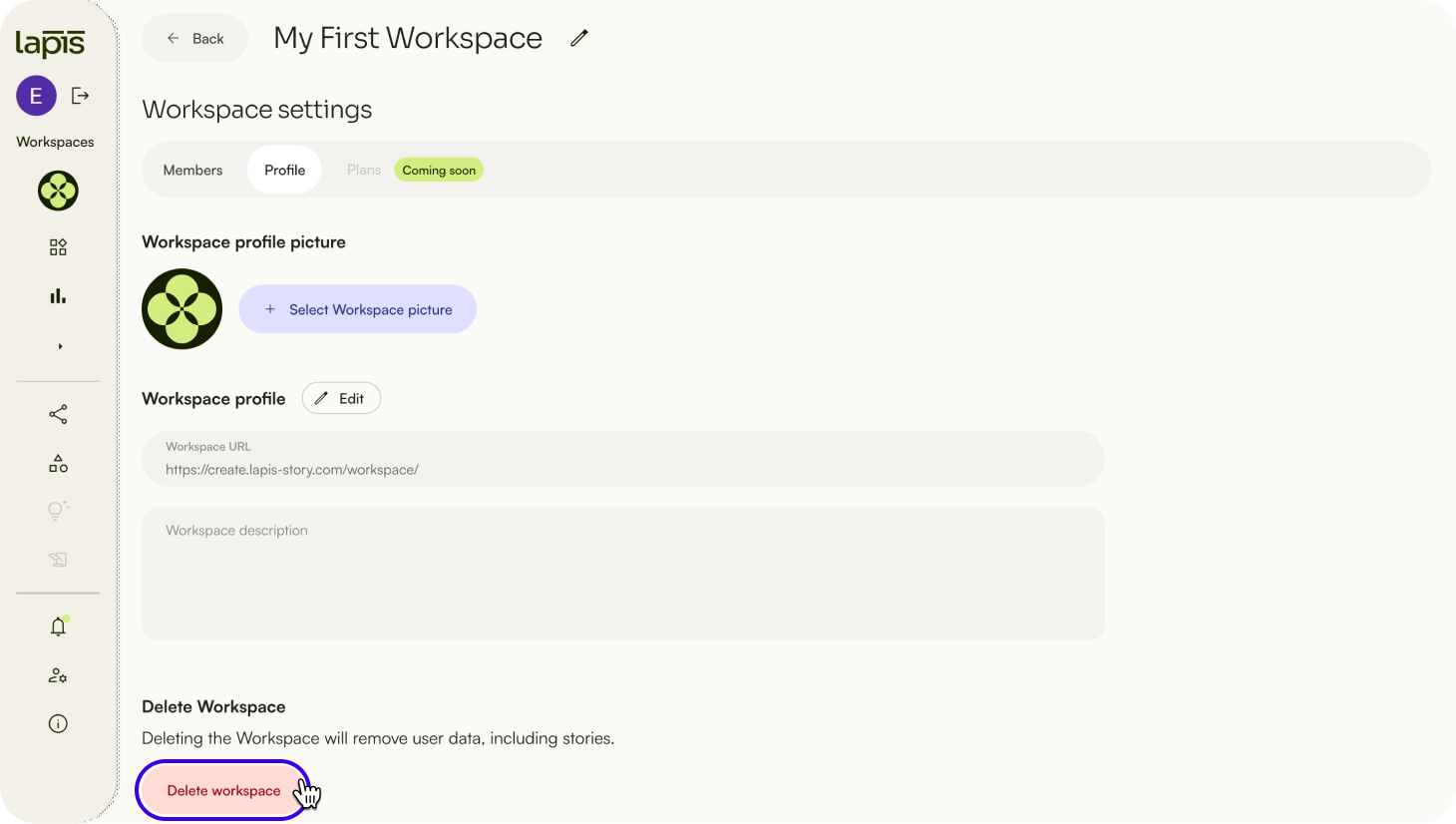
- To delete your Workspace, click
Delete Workspace. - Click
Delete Workspace.
⚠️ Deleting a Workspace will also delete all user data, including stories. You cannot undo this action. Make sure you have backed up the data you want to keep.Before deleting your Workspace, you may want to transfer the Workspace ownership to someone else in order to save the data. Once you have deleted a Workspace, all drafts, stories, and templates within it will also be deleted.
| Last article: Intro to the sidebar | Next article: Transfer Workspace ownership |
Lapis is built by Kontinentalist↗, a data storytelling studio in Singapore.
Was this article helpful?
That’s Great!
Thank you for your feedback
Sorry! We couldn't be helpful
Thank you for your feedback
Feedback sent
We appreciate your effort and will try to fix the article