Iframe embed content block
Add an iframe embed
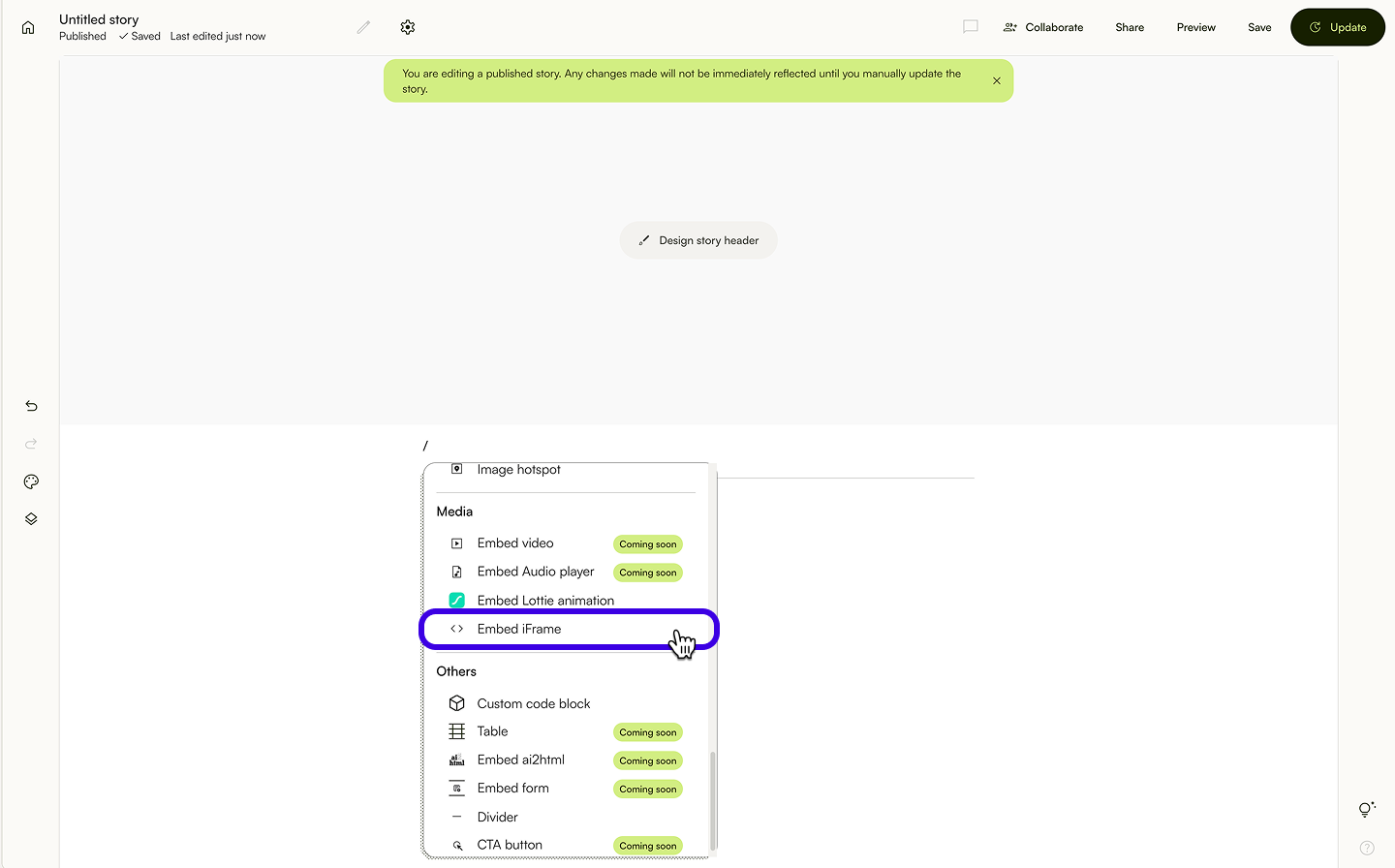
- To add an iframe, add a new content block and select E
mbed iframe. - Paste the iframe code, or url.
- Click Embed.
This is an example of an iframe code:
<iframe width="560" height="315" src="https://www.youtube.com/embed/umAOefbmOxI?si=9NlXbhaph9E1tBPp" title="YouTube video player" frameborder="0" allow="accelerometer; autoplay; clipboard-write; encrypted-media; gyroscope; picture-in-picture; web-share" referrerpolicy="strict-origin-when-cross-origin" allowfullscreen></iframe>Edit iframe embed
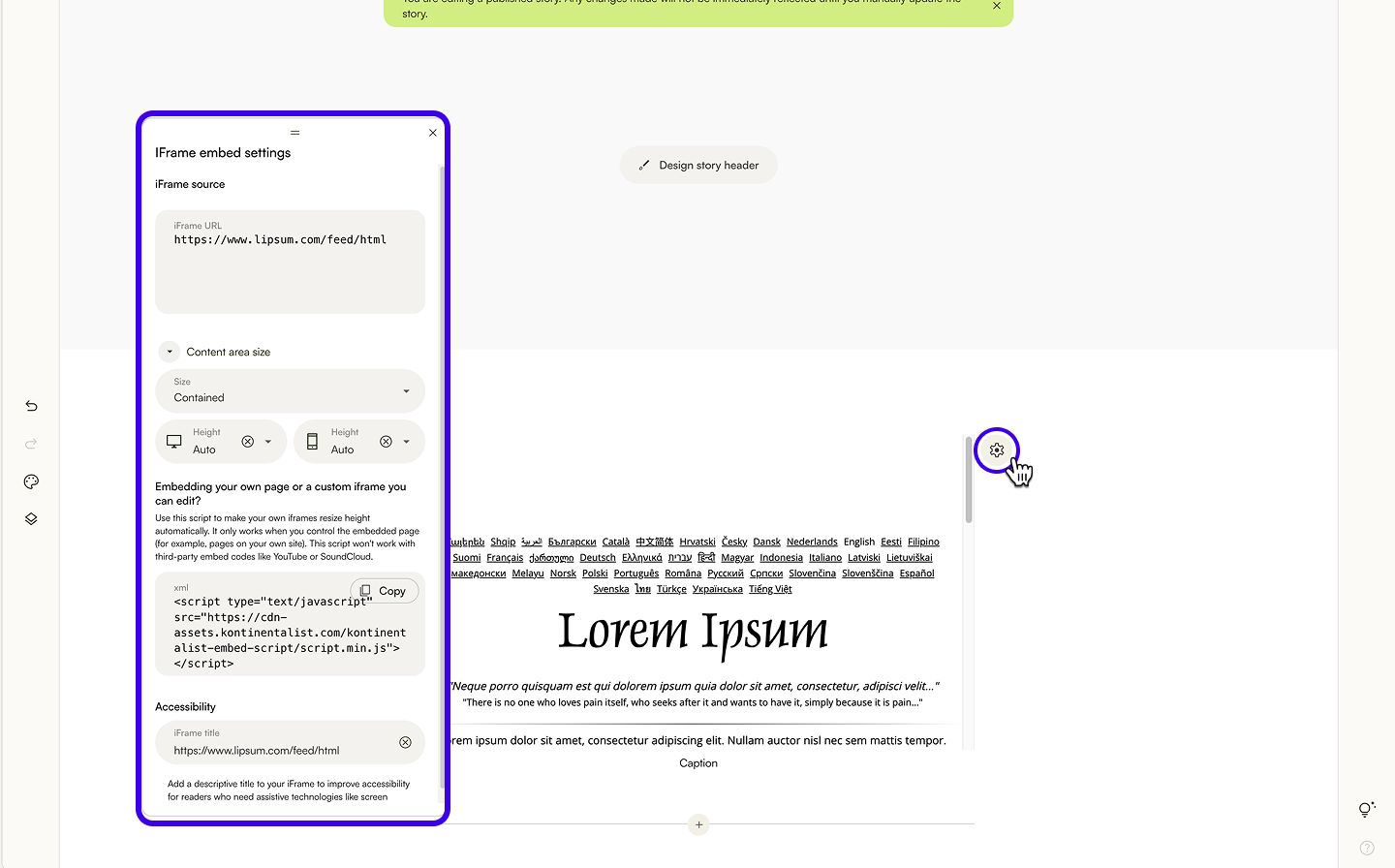
- Click the settings icon at the top right of the block.
- In the 'Customise settings' menu, you can
- replace existing iframe code or url.
- change content area size.
- Contained: The image gallery will be the same width as the text content block width.
- Full-width: The image gallery will span the width of the browser.
- Custom: Set your preferred width and alignment for the image gallery.
- change iframe content height.
- Auto: The iframe will use a default fixed height.
- Custom: Set your preferred height in px. This also a fixed height.
Set dynamic height to an iframe embed
For an iframe to automatically adjust its height to fit its content, you can use the script below.
This solution requires you to add a small JavaScript function to your page and slightly modify your <iframe> tag. Place the following code inside the <head> of your iframe.
This solution requires you to add a small JavaScript function to your page and slightly modify your <iframe> tag. Place the following code inside the <head> of your iframe.
<script type="text/javascript" src="https://cdn-assets.kontinentalist.com/kontinentalist-embed-script/script.min.js"></script>This script will NOT work with third-party embeds like YouTube, SoundCloud, Vimeo, or Google Maps.
Next, learn to insert your own custom code for advanced content and interactions.
Was this article helpful?
That’s Great!
Thank you for your feedback
Sorry! We couldn't be helpful
Thank you for your feedback
Feedback sent
We appreciate your effort and will try to fix the article