Text content blocks include the heading, paragraph, boxed text, quote, literacy expert section, numbered list, and bullet list.
Boxed text
Styling boxed text
- To style boxed text, select
boxed textin the drop-down menu. - Hover over the box.
- Click the settings icon to open the 'Customise settings' menu.
- In the menu, you can:
- change the background of the box to a background image, a different colour or remove the background entirely.
- style the border of the box.
Using boxed text for methodology and references
If your data story includes methodologies and sources, you can use Lapis' boxed text to add them to your story. Including methodology boxes and reference lists in your story can increase the credibility of your story with readers.
Learn more about why you should include your methodology and references here.
Add a methodology box
You can use boxed text content blocks for your methodology box. An example methodology box is provided below.
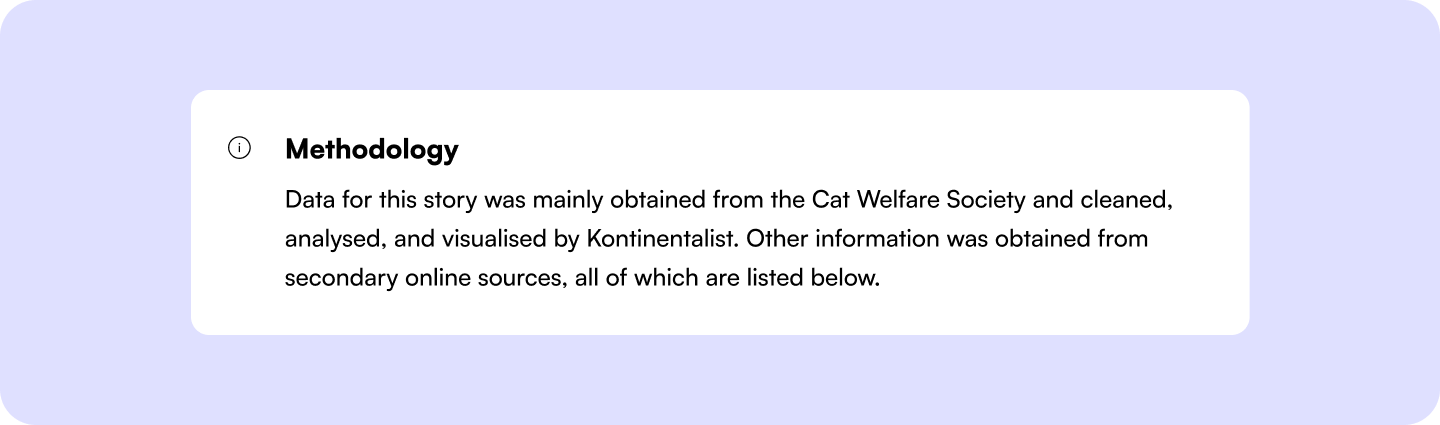
Add a boxed text content block
- Press the slash key (
/). - Select or type in
Boxed text. - Write your methodologies inside the boxed text content block.
Customise icons or emojis in the boxed text content block
- Click the icon or emoji at the top left of the content block.
- In the 'icon styling' menu, you can:
- Change the icon's colour.
- Change the icon's size.
Style the text in the methodology box
- Highlight selected text.
- In the text setting, you can:
- bold the text.
- change the text colour.
- change the text size.
Customise the content block
You can customise the content block to suit your needs.
- Hover over to the box.
- Click the settings icon.
- In the 'customise settings' menu, you can
- change the background of the box.
- change the border of the box.
Reference lists
Cite your sources according to your preferred citation style. Common citation styles include APA, Chicago and MLA.
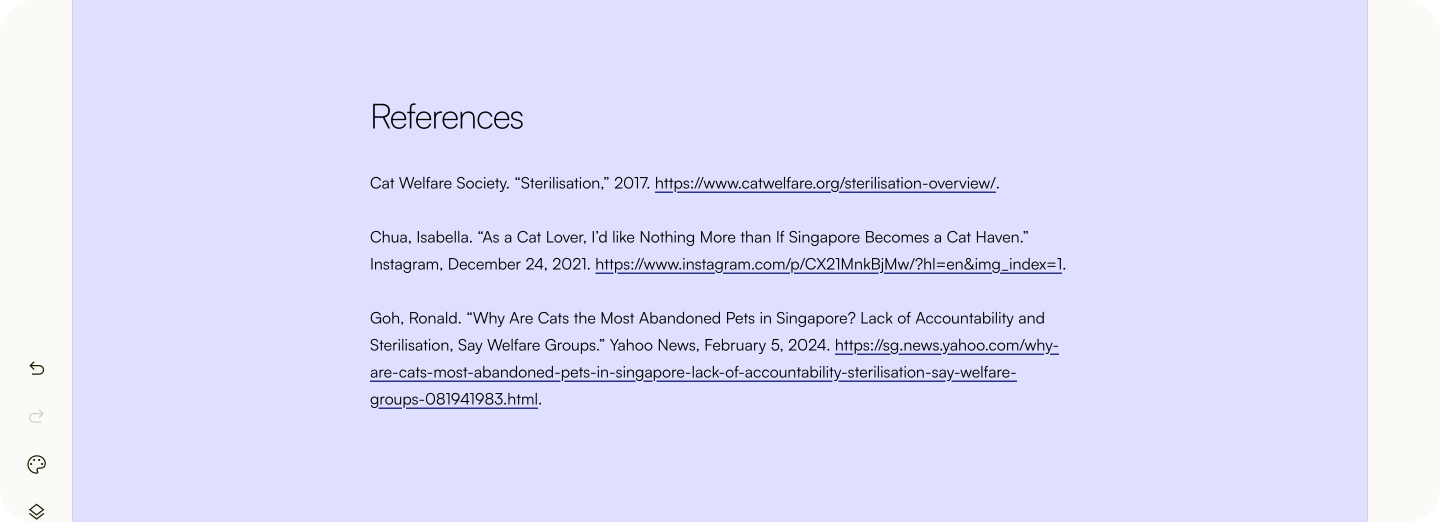
Next, learn about Lapis' various image content blocks, such as image gallery and juxtapose.
Was this article helpful?
That’s Great!
Thank you for your feedback
Sorry! We couldn't be helpful
Thank you for your feedback
Feedback sent
We appreciate your effort and will try to fix the article